What is the IKEv2/IPsec Protocol & Should You Care in 2026?
- January 4, 2026
- 8 minutes Read
- Security & Privacy

A Reliable VPN comes with any VPN protocols for maximum security.
IKEv2/IPsec is a modern VPN protocol that combines Internet Key Exchange version 2 for secure key management with IPsec for data encryption.
This powerful combination delivers fast connection speeds, automatic reconnection when switching networks, and enterprise-grade security with AES-256 encryption.
Table of contents
- Key Features at a Glance
- What is IKEv2/IPsec?
- How IKEv2/IPsec Works
- Core Advantages
- Protocol Comparison
- Use Cases and Applications
- Setup and Configuration
- Security Considerations
- Performance Optimization
- Troubleshooting Guide
- Future Developments
- Making the Right Choice
- Wrapping Up
- Frequently Asked Questions (FAQs)
Key Features at a Glance
| Feature | Benefit |
| Security | AES-256 encryption, Perfect Forward Secrecy, robust authentication |
| Speed | Faster than OpenVPN, optimized for mobile devices |
| Stability | MOBIKE support for seamless network switching |
| Compatibility | Native support on Windows, macOS, iOS, Android |
| Ports | UDP 500 and 4500 with built-in NAT traversal |
Primary Use Cases:
- Mobile VPNs and frequent network switching
- Enterprise remote access solutions
- Site-to-site connections
- Streaming and gaming applications
What is IKEv2/IPsec?
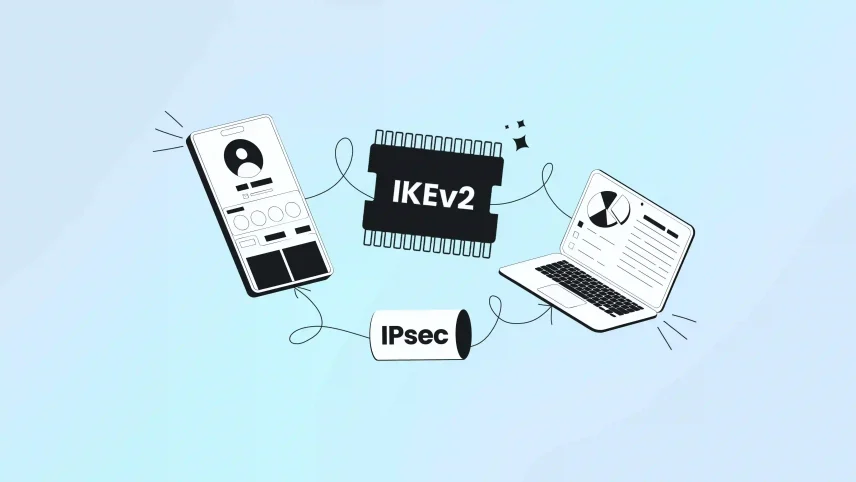
IKEv2/IPsec is a two-part security system that creates encrypted tunnels for internet:
- IKEv2 (Internet Key Exchange v2): Handles negotiation, authentication, and key management
- IPsec (Internet Protocol Security): Manages data encryption and transmission
Think of IKEv2 as the diplomatic negotiator establishing connection rules, while IPsec serves as the secure transport vehicle carrying your encrypted data.
Thought to digest: Is IKEv2 better than OpenVPN for gaming?
Evolution from IKEv1
IKEv2 offers significant improvements over IKEv1:
- Faster connections: Reduced from 9 message exchanges to just 4
- Mobile optimization: Native support for network mobility
- Better reliability: Enhanced reconnection capabilities
- Improved efficiency: Lower overhead and better performance
How IKEv2/IPsec Works
Phase 1: Security Association Initialization
- Device sends supported encryption algorithms and security parameters
- Server selects optimal options from the provided list
- Both parties exchange cryptographic keys using Diffie-Hellman
- Shared secret key created without transmitting it over the internet
Phase 2: Authentication and Tunnel Creation
- Mutual authentication using digital certificates or pre-shared keys
- Identity verification occurs within encrypted channel
- IPsec Security Associations established
- Secure data tunnel activated for internet traffic
Core Advantages
MOBIKE: Seamless Network Switching
Traditional VPN protocols drop connections when switching from Wi-Fi to cellular data.
IKEv2 Solution: MOBIKE (Mobility and Multihoming Protocol) automatically adapts to network changes while maintaining encrypted tunnels.
Real-world Benefits:
- Uninterrupted streaming when leaving Wi-Fi coverage
- Continuous file downloads during network transitions
- Seamless video calls while traveling
Built-in NAT Traversal
- Automatic Detection: Protocol identifies NAT devices (routers, firewalls)
- Smart Adaptation: Switches to UDP encapsulation mode when needed
- Zero Configuration: Works transparently without user intervention
Perfect Forward Secrecy (PFS)
- Generates unique session keys for each connection
- Protects past communications even if long-term keys are compromised
- Ensures browsing history remains secure against future attacks
Advanced Encryption Standards
Supported Algorithms:
- AES-256 for military-grade data protection
- AES-GCM for combined encryption and authentication
- SHA-256/SHA-384 for integrity verification
- Modern cipher suites for optimal security
Protocol Comparison
| Feature | IKEv2/IPsec | OpenVPN | WireGuard | L2TP/IPsec |
| Speed | Fast | Moderate | Fastest | Slow |
| Mobile Performance | Excellent | Good | Good | Poor |
| Auto Reconnection | Excellent | Manual | Good | Poor |
| Firewall Bypass | Limited | Excellent | Good | Limited |
| Enterprise Features | Comprehensive | Good | Developing | Basic |
| Battery Efficiency | High | Moderate | High | Low |
| Setup Complexity | Easy | Complex | Easy | Moderate |
IKEv2 vs OpenVPN
IKEv2 Advantages:
- Faster connection speeds, especially on mobile
- Superior automatic reconnection
- Better battery life on mobile devices
- Native OS support eliminates third-party software
OpenVPN Advantages:
- Better firewall traversal (TCP/UDP support)
- Extensive customization options
- Open-source transparency
- Superior in restrictive network environments
IKEv2 vs WireGuard
IKEv2 Advantages:
- Mature enterprise authentication systems
- Comprehensive logging and monitoring
- Better existing infrastructure integration
- Proven stability in business environments
WireGuard Advantages:
- Often faster raw speeds
- Simpler codebase reduces attack surface
- Modern cryptographic design
- Lower resource usage on older hardware
Use Cases and Applications
Mobile Device Connectivity
Ideal For:
- Business travelers switching between airports, hotels, and offices
- Remote workers moving between home and coworking spaces
- Students transitioning between campus and cellular networks
Benefits:
- Minimal battery drain for always-on protection
- Seamless handoffs between network types
- Consistent performance across different connection qualities
Enterprise Remote Access
Key Features:
- Robust authentication supporting enterprise security policies
- Comprehensive logging for compliance and auditing
- Automatic failover capabilities for mission-critical connections
- Integration with existing identity management systems
Site-to-Site Connectivity
Applications:
- Secure connections between office locations
- Data center to cloud service links
- Branch office connectivity solutions
- Hybrid cloud architecture support
Streaming and Gaming
Performance Benefits:
- Low latency suitable for real-time applications
- Geographic flexibility for content access
- Automatic reconnection prevents buffering interruptions
- Stable connections for competitive gaming
Setup and Configuration
Native OS Support
Supported Platforms:
- Windows (7, 8, 10, 11)
- macOS (10.12+)
- iOS (9.0+)
- Android (4.0+)
- Linux (various distributions)
Manual Configuration Requirements
Information Needed:
- Server address/hostname
- Authentication credentials (certificates or pre-shared keys)
- Encryption settings and algorithms
- DNS server configurations
VPN Client Applications
Advantages of Dedicated Apps:
- User-friendly interface with guided setup
- Automatic server selection and optimization
- Advanced features like kill switches and split tunneling
- Performance monitoring and connection diagnostics
Security Considerations
Authentication Methods
| Method | Security Level | Complexity | Best For |
| Digital Certificates | Highest | High | Enterprise deployments |
| Pre-shared Keys | High | Low | Small business, personal use |
| EAP Methods | High | Medium | Integration with existing systems |
Best Practices
Strong Authentication:
- Use complex, unique pre-shared keys (minimum 20 characters)
- Implement certificate-based authentication for enterprises
- Enable multi-factor authentication where supported
- Regular key rotation (quarterly for high-security environments)
Network Security:
- Verify server certificates to prevent man-in-the-middle attacks
- Use trusted certificate authorities
- Implement proper firewall rules
- Monitor connection logs for suspicious activity
Potential Vulnerabilities
Common Issues:
- Weak pre-shared keys vulnerable to offline attacks
- Fixed port usage (500, 4500) easier to block than random ports
- Implementation-specific security flaws in some vendors
- Potential surveillance concerns with certain implementations
Performance Optimization
Connection Speed Factors
Server Selection:
- Choose geographically closer servers for lower latency
- Test multiple server locations during different times
- Consider server load and bandwidth capacity
- Use servers optimized for your specific use case
Network Optimization:
- Prefer UDP over TCP when possible
- Configure MTU settings to prevent fragmentation
- Use QoS settings to prioritize VPN traffic
- Monitor bandwidth usage and adjust accordingly
Here’s how to configure MTU: How to change MTU in Windows like a PRO 💪
Battery Life Optimization
Mobile Device Settings:
- Exempt VPN apps from battery optimization
- Use efficient encryption algorithms (AES-GCM)
- Configure reasonable reconnection intervals
- Enable connection persistence features
Troubleshooting Guide
Connection Failures
| Issue | Likely Cause | Solution |
| Authentication Failed | Wrong credentials | Verify username, password, certificates |
| Cannot Connect | Firewall blocking | Check UDP ports 500, 4500 |
| Certificate Errors | Expired/invalid certs | Update certificates, verify CA |
| Timeout Errors | Network issues | Try different servers, check internet |
Performance Problems
Slow Speeds:
- Test different server locations
- Check for network congestion during peak hours
- Verify MTU settings and adjust if necessary
- Consider switching encryption algorithms
Frequent Disconnections:
- Review power management settings on mobile devices
- Check for aggressive firewall policies
- Verify network stability without VPN
- Update VPN client software
Advanced Troubleshooting
Diagnostic Steps:
- Test connection without VPN to establish baseline
- Review system and VPN application logs
- Perform network trace analysis if needed
- Contact VPN provider support with specific error messages
Future Developments
Ongoing Enhancements
Current Focus Areas:
- Post-quantum cryptography preparation
- Enhanced mobile device integration
- Improved cloud service compatibility
- Advanced threat detection capabilities
Emerging Applications
New Use Cases:
- IoT device secure connectivity
- Edge computing network protection
- Software-defined networking (SDN) security
- Hybrid cloud architecture support
Making the Right Choice
IKEv2/IPsec is Ideal For:
- Users prioritizing connection stability and reliability
- Mobile professionals frequently switching networks
- Organizations needing enterprise-grade security features
- Applications requiring fast connection establishment
- Environments where native OS support is important
Consider Alternatives When:
- Maximum customization options are required (OpenVPN)
- Operating in heavily censored environments (OpenVPN/Shadowsocks)
- Raw speed is the primary concern (WireGuard)
- Advanced traffic obfuscation is needed
Wrapping Up
IKEv2/IPsec represents one of the most balanced and reliable VPN solutions available today, offering an optimal combination of security, performance, and user experience.
Its unique two-phase architecture provides robust protection while maintaining efficient operation across diverse applications.
While newer protocols like WireGuard offer speed advantages and OpenVPN provides greater flexibility in restrictive environments, IKEv2/IPsec’s mature ecosystem and native operating system support make it a pragmatic choice for most users.
Frequently Asked Questions (FAQs)
IKEv2 excels on mobile devices due to MOBIKE support for seamless network switching, efficient battery usage, and optimized reconnection algorithms that maintain connections when transitioning between Wi-Fi and cellular networks.
Yes, IKEv2/IPsec includes built-in NAT traversal capabilities for most corporate firewalls. However, restrictive environments may block UDP ports 500 and 4500, requiring firewall configuration by network administrators.
Absolutely. IKEv2/IPsec provides enterprise-grade security with AES-256 encryption, Perfect Forward Secrecy, and robust authentication methods suitable for business applications and site-to-site connections.
IKEv2’s automatic reconnection capabilities quickly re-establish connections without full renegotiation, often resuming sessions within seconds of network restoration.
Primary limitations include potential blocking by restrictive firewalls due to fixed port usage, easier detection by deep packet inspection systems, and limited customization options compared to OpenVPN.
Yes, modern IKEv2 implementations support dual-stack connectivity, though IPv6 support varies by operating system and VPN provider configuration.
![Ultimate White Label VPN Business Guide 2026 [Cost & ROI]](https://symlexvpn.com/wp-content/uploads/2026/01/Ultimate-White-Label-VPN-Business-Guide-2025-Cost-ROI_2-376x114.webp)