
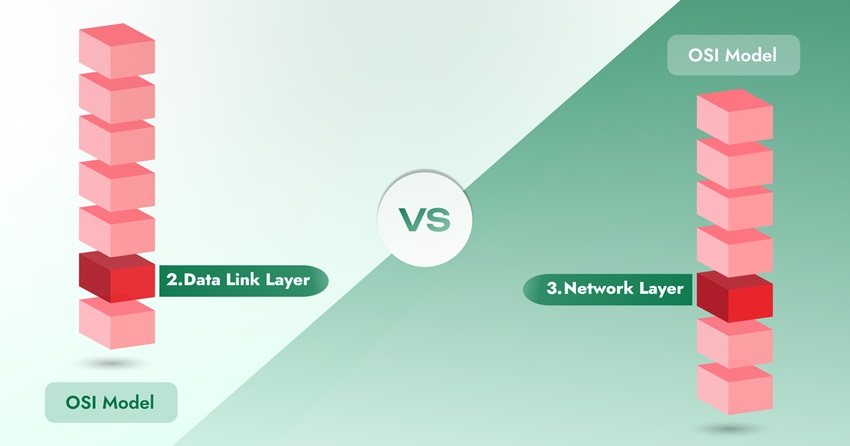
Layer 2 and Layer 3 are two of the seven layers in the OSI (Open Systems Interconnection model, and they shape how a VPN actually moves your data across a network. Knowing the difference between a Layer 2 VPN and a Layer 3 VPN helps you pick the right setup for your business or personal use. Here’s a simple breakdown and comparison.
What are Layer 2 and 3 VPN?
Layer 2 VPN
Layer 2 works at the data link layer of the OSI model and uses MAC addresses to move data between devices on the same local network. Layer 2 switches are fast and need little setup, which is why homes and small offices rely on them.
Layer 3 VPN
Layer 3 works mainly at the network layer and uses IP addresses to route traffic between different networks. Layer 3 switches take on some router-like features, so they cost more and need more configuration than Layer 2 switches.
Layer 2 vs Layer 3: quick comparison
| Factor | Layer 2 | Layer 3 |
| Function | Works at the data link layer | Works at the network layer |
| Addressing | MAC address | IP address |
| Devices | Switches, bridges | Routers |
| Data unit | Frames | Packets |
| Typical use | Local area network (LAN) | Wide area network (WAN) |
| Scope | Local communication | End-to-end communication |
| Examples | Wi-Fi, Ethernet | IP, IPv4, IPv6 |
What is an OSI model?
The OSI model splits network communication into seven layers, acting like a shared language so different hardware and software can talk to each other. Each layer handles one part of the process, and together they set the rules for how data moves.
A few things worth knowing:
- It has seven layers, each with a specific job.
- It gives networks a standard way to communicate, regardless of the hardware or software involved.
- It isn’t tied to one protocol. It’s a framework that developers build protocols on top of.
- It applies to any network type, from a home Wi-Fi setup to a large wide area network.
The seven layers of networking
- Application layer: Supports the tools you use directly, like email and web browsing, and manages how your apps talk to the network.
- Presentation layer: Formats, compresses, and encrypts data so the receiving device can read it.
- Session layer: Opens, manages, and closes the connection between two applications.
- Transport layer: Moves data reliably between devices, including splitting it into smaller pieces and confirming delivery.
- Network layer (layer 3): Routes data between different networks, handles addressing, and manages congestion.
- Data link layer (layer 2): Moves data frames between two devices on the same network and checks for errors.
- Physical layer: The actual hardware, cables, radio waves, and electrical signals that carry data.
What is layer 2 or the data link layer?
The data link layer moves data between devices on the same network and makes sure it arrives correctly.
Key functions:
- Reliable data transfer: delivers data to the right device on the same network.
- Frame formatting: packages data into frames before sending it out.
- Addressing: uses MAC addresses to identify each device.
- Flow control: manages the pace of data flow to avoid congestion.
- Error detection and correction: catches and fixes errors during transfer.
Layer 2 splits into two sublayers: Media Access Control (MAC), which controls access to the network medium, and Logical Link Control (LLC), which handles error-free transfer and flow control.
Common Layer 2 protocols include Ethernet (the standard for local networks), Point-to-Point Protocol (PPP) for connections like dial-up internet, and Frame Relay, which moves data across wide area networks.
Why use a layer 2 VPN?
A Layer 2 VPN can support low latency, strong performance, and scalability depending on the network setup. It suits anything that needs a fast connection, such as gaming, VoIP calls, video conferencing and network virtualization, with smooth, high-speed data transfer.
What is layer 3 or the network layer?
The network layer moves data between devices on different networks, getting it from a source on one network to a destination on another.
Key functions:
- Routing: decides which path data takes from source to destination.
- Fragmentation and reassembly: breaks large packets into smaller ones when needed, then reassembles them at the destination.
- Error handling: reports delivery errors to the transport layer and may request a resend.
- Logical addressing: assigns IP addresses so data routes correctly.
Layer 3 also includes a few sublayers:
Subnetwork Access, which handles connecting protocols such as X.25; Subnetwork-Dependent Convergence, which raises a transit network to match the networks on either side; and Subnetwork-Independent Convergence, which handles transfers across multiple networks, such as CLNP (Connectionless Network Protocol).
Why use a layer 3 VPN?
A Layer 3 VPN can offer security, flexibility, and scalability benefits depending on the network architecture. It may be used in environments handling sensitive data, depending on organizational security requirements, and it scales well for large or growing businesses.
The VPN protocol you choose also affects performance. Protocols such as WireGuard, OpenVPN, and Shadowsocks are commonly used for secure VPN connections with different performance characteristics. so pick the one that fits your specific needs.
Related Terms to Layer 2 and 3
What is a virtual LAN (VLAN)?
A VLAN (Virtual Local Area Network) groups devices logically, regardless of where they sit physically, improving security and traffic management. Network administrators use VLANs to separate traffic between departments without moving hardware. They do this by assigning specific switch ports, creating smaller broadcast domains and reducing congestion.
What is an MPLS VPN?
An MPLS VPN (Multiprotocol Label Switching Virtual Private Network) uses MPLS technology to build secure, private connections. VPN providers and internet service providers (ISPs) use MPLS VPNs to give customers dependable connectivity, relying on advanced networking tools to manage traffic within the VPN.
Why use an MPLS network?
The main advantage is private connectivity with reliability depending on the network setup. It lets organizations set up private, controlled communication channels between remote sites, so traffic moves the way they need it to. MPLS VPNs are also highly customizable, which helps businesses optimize performance, protect data privacy, and enforce strict access controls while keeping costs in check.
MPLS vs VPN
MPLS and VPN both create private, secure connections, but they work differently and come with different trade-offs.
| Factor | MPLS | VPN |
| Technology | Uses labels to route packets | Uses encryption and tunneling |
| Security | No built-in encryption | Uses strong encryption to protect data |
| Flexibility | Works with fewer hardware and software types | Works with a wide range of devices and systems |
| Reliability | Can offer more predictable connectivity in managed network environments. | Reliability depends on your internet connection |
| Performance | Built for large-scale networks | Performs well on smaller networks |
| Scalability | Handles heavy traffic across many locations | Better suited to smaller networks |
| Management | Needs more setup and expertise | Can be easier to deploy depending on the VPN solution and configuration. |
When to use each
- MPLS: choose it when you need a fast, reliable, and scalable connection for a large, complex network with high bandwidth needs.
- VPN: choose it when you need a secure, flexible connection for remote access or a smaller network, especially with a tighter budget.
Is a VPN layer 2 or layer 3?
A Layer 2 VPN, also called a Virtual Private LAN Service (VPLS), transports Layer 2 protocols, like Ethernet frames, between different sites. It connects and shares VLANs, helping organizations exchange sensitive information, link national offices, and connect remote sites to a central location.
A Layer 3 VPN, also called a Virtual Private Routed Network (VPRN), works at the network layer and routes traffic between sites using IP addresses. It’s commonly used within the backend of VPN infrastructure, such as connections between back offices or data centers, and it’s built to secure connections for remote workers, suppliers, or offices in different regions.
Can layer 2 and layer 3 VPNs work together?
Yes. Combining Layer 2 and Layer 3 VPNs helps organizations build a more complete, flexible network setup.
What are the benefits of combining Layer 2 and Layer 3 VPNs?
Together, they can support performance, scalability, and security in suitable network designs
Conclusion
Layer 2 and Layer 3 each play a distinct role in how a VPN moves your data. A Layer 2 VPN works at the data link layer of the OSI model and connects network devices as though they sat right next to each other. A Layer 3 VPN works at the network layer, using IP routing to create secure communication between multiple sites.