
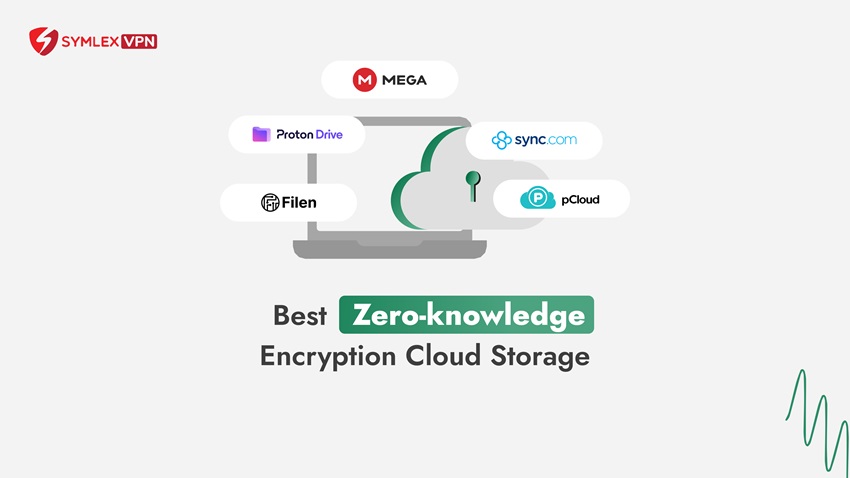
Have you ever wondered whether your cloud storage provider can read your files? Most cloud storage services use encryption, but they don’t all manage encryption keys in the same way.
Zero-knowledge cloud storage takes a different approach by keeping the keys needed to read your protected files outside the provider’s control.
In this guide, we’ll explain how zero-knowledge encryption works and why it matters. We’ll also compare five cloud storage services that focus on data privacy.
What is zero-knowledge encryption?
Zero-knowledge encryption is a security approach where your cloud storage provider cannot decrypt your protected files because it doesn’t hold the necessary keys. You encrypt your files on your device before uploading them to the provider’s servers.
The facility can store the box, but it doesn’t have the key to open it.
Anyway, zero-knowledge storage doesn’t mean the provider knows nothing about your account. It may still process information such as your email address, subscription details, and file activity metadata.
Is zero-knowledge encryption the same as a zero-knowledge proof?
No, these terms describe different concepts. A zero-knowledge proof is a cryptographic technique that allows someone to prove a statement is true without revealing the underlying secret.
Zero-knowledge cloud storage focuses on preventing the provider from reading the contents of protected files. You don’t need to understand cryptographic proofs to use an encrypted cloud storage service.
How does zero-knowledge cloud storage work?
You don’t need to manage complicated security settings to understand the basic process. Most zero-knowledge systems follow three main steps.
Step 1. Your device prepares the encryption keys
When you create an account, the application establishes the encryption keys needed to protect your files. Depending on the provider, these keys may be generated locally or protected using a key derived from your password. The key point is that the provider shouldn’t have access to the usable keys needed to decrypt your protected content.
Step 2. Your files are encrypted before uploading
When you upload a document, your device encrypts it before sending it to cloud storage. The provider receives an encrypted version, not the original readable file.
This process is commonly called client-side encryption. It helps protect file contents even when they’re stored on infrastructure outside your control.
Step 3. You access your files using authorized keys
When you open a stored file, your application uses the appropriate key to decrypt it. You can then view or edit the content on an authorized device.
Note: You should also understand the provider’s recovery options. Losing your password and recovery information may prevent you from accessing encrypted files again.
Why does zero-knowledge cloud storage matter?
You may trust your cloud storage provider, but limiting unnecessary access to personal information is still useful. Zero-knowledge encryption reduces the amount of readable information the provider can access.
It can also reduce exposure of protected file contents if an attacker compromises the provider’s storage systems. However, encryption cannot prevent every security incident, particularly when someone’s account or device is compromised.
With a privacy-focused storage service, you should look for client-side encryption, secure file sharing, and clear recovery instructions. Also consider features such as two-factor authentication and file version history.
For additional protection, keep your devices updated and use strong passwords. Keep separate backups of important files rather than relying on a single cloud account.
5 zero-knowledge cloud storage services to consider
Several zero-knowledge cloud storage providers offer privacy-focused file storage. Here are five services worth comparing based on their encryption approach and everyday features.
1. MEGA
MEGA offers encrypted cloud storage for personal and business files. Its core file storage service uses user-controlled encryption, meaning your files are encrypted on your device, and the provider doesn’t hold the keys to read them.
You can use MEGA through its web interface and supported desktop or mobile applications. It also offers file sharing, synchronization, and account recovery options.
Advantages:
- Client-side encryption
- Cross-platform support
- File-sharing tools
Limitations:
- Transfer allowances and storage capacity depend on your plan.
- You should also save your recovery key because losing access to the required keys can make file recovery difficult.
It is best for users seeking encrypted file storage across multiple devices.
2. pCloud
pCloud offers cloud storage with file synchronization and sharing features. Unlike providers that apply zero-knowledge encryption to all standard file storage, pCloud offers this protection through a separate Encryption feature.
When you enable pCloud Encryption, you can place sensitive files inside a dedicated Crypto folder. Your device encrypts those files before uploading them, while files outside that folder follow pCloud’s regular storage model.
Advantages:
- Flexible file management
- Cross-device synchronization
- Dedicated encrypted folder
Limitations:
- The additional encryption feature requires a separate purchase or eligible package.
- You also need to remember which files you put in the protected folder.
It is best for users who want encrypted storage for selected sensitive files.
3. Sync.com
Sync.com focuses on private cloud storage with end-to-end encryption. You can store documents, synchronize files between supported devices, and share information with authorized people.
The service also offers file recovery and version history, though availability depends on your plan. Businesses can explore collaboration and access management options.
Advantages:
- End-to-end encrypted storage
- File sharing and backup features
Limitations:
- Storage allowances
- Recovery periods
- Advanced collaboration tools vary between subscriptions.
It is best for individuals and teams managing confidential documents.
4. Filen
Filen is a privacy-focused cloud storage service that uses client-side end-to-end encryption. You can synchronize files across supported devices and manage documents through its applications.
The company also provides file-sharing and productivity features, along with tools for users who need more advanced storage management.
(Filen has made its applications’ source code available for public inspection.)
Advantages:
- Encryption-focused design
- Synchronization features
- Open-source applications
Limitations:
- Some advanced workflows require additional configuration.
- New free-account storage eligibility can also vary
It is best for privacy-conscious users seeking encrypted storage and flexible file management.
5. Proton Drive
Proton Drive offers end-to-end encrypted cloud storage as part of the wider Proton ecosystem. It encrypts file contents and filenames before they leave your device.
You can access your files through supported web, desktop, and mobile applications. Proton Drive also offers encrypted file sharing and document collaboration.
Advantages:
- End-to-end encryption
- Protected filenames
- Integrated privacy-focused tools
Limitations:
- Storage capacity and collaboration features depend on your subscription.
- Some users may prefer a service that integrates more closely with their existing office software.
It is best for users who want private file storage alongside other privacy-focused services.
Comparison of zero-knowledge cloud storage services
The table below summarizes the main differences between these five providers.
| Provider | Encryption approach | Key advantage | Main consideration |
| MEGA | User-controlled encryption for core file storage | Encrypted storage and sharing | Transfer and recovery requirements |
| pCloud | Client-side encryption in Crypto folder | Selective file protection | Additional encryption purchase |
| Sync.com | End-to-end encryption | Private storage and collaboration | Plan-dependent features |
| Filen | Client-side end-to-end encryption | Privacy-focused file management | Advanced setup and plan options |
| Proton Drive | End-to-end encryption | File and filename protection | Plan-dependent storage and tools |
Before subscribing, check the provider’s current pricing and available storage. Also test its features to see whether the interface suits your needs.
How to choose the right encrypted cloud storage
Start by deciding which files you want to protect and how you’ll access them. You might need automatic photo backups, document collaboration, or secure client sharing.
Next, review the encryption model and recovery process. Check whether client-side encryption applies to every file or only selected folders.
Finally, compare device compatibility and available support. A service that fits your daily workflow will be easier to use consistently.
Conclusion
Zero-knowledge cloud storage gives you greater control over who can read your protected files. Services such as MEGA, pCloud, Sync.com, Filen and Proton Drive offer different approaches to encrypted storage and file management.
So, choose a provider based on its encryption design, everyday features, and recovery options. You can strengthen your privacy further by protecting your accounts and keeping reliable backups.
Frequently asked questions
No, zero-knowledge encryption cannot prevent every breach. However, it can reduce exposure of protected file contents because the provider doesn’t possess the keys needed to decrypt them.
You may have fewer account recovery options if you lose the required encryption keys. Some services also offer different collaboration and search capabilities because their servers cannot process protected file contents directly.
You can download your files from your current provider and upload them to the new service. Check that folders and file contents transfer correctly before deleting the original copies. Keep a separate backup during migration to reduce the risk of accidental data loss.