
If you’re new to online security, the word “VPN” can sound confusing and overly technical. Many beginners avoid learning about it because the jargon feels like too much work to untangle.
The truth is, a VPN (Virtual Private Network) is much simpler than it sounds. This guide breaks it down in plain language, covering everything a beginner needs to know:
- The meaning of VPN
- How VPNs work
- When you need a VPN
- Which devices support VPNs
- The difference between a VPN and a proxy
- The difference between free and paid VPNs
- Factors to consider before choosing a VPN service
The Meaning of VPN
You can read the full guide on what a VPN is on this web page. The idea behind a VPN started with a simple need:
letting people access a computer system from far away while making it look like they were still connected to the same local network.
In other words, a VPN builds a network in cyberspace, one that isn’t physically connected, but works just as well because it’s virtual.
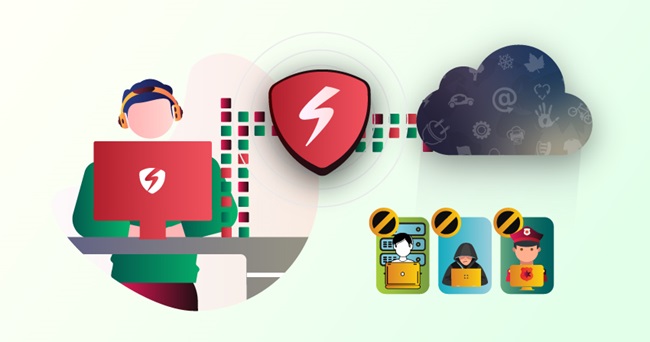
As a VPN user, you get your own private corner of the internet, one where your activity is visible only to you. A VPN creates an encrypted tunnel between your device and a VPN server, protecting your data and hiding it from anyone trying to look in.
By default, the internet isn’t very safe. You’ve probably heard stories about people’s Facebook or Instagram accounts getting hacked. Cybercriminals are after personal details like bank account numbers or card information they can use to steal money.
Governments sometimes monitor citizens’ online activity, and ISPs have been known to sell browsing data to advertisers. Turning on a VPN protects you from all of this by encrypting your data and keeping your online activity private.
How VPN Works
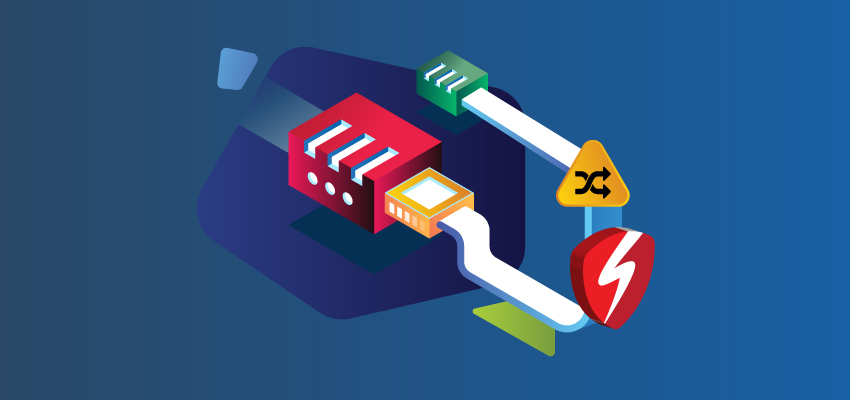
A VPN builds a secure passage between your device and the internet. Every bit of data you send gets encrypted, passes through your ISP, and lands on a remote server run by the VPN provider. There, it’s decrypted and sent on to the internet. Data coming back follows the same process in reverse.
So even if someone manages to monitor the network you’re using, all they’ll see is a stream of scrambled letters and numbers, what’s known in cybersecurity as ciphertext.
Here’s what sets a VPN connection apart from a regular one:
- Your data is encrypted the moment it leaves your device and decrypted only when it reaches the VPN’s server.
- Your real IP address is hidden behind the VPN server’s address.
- Your ISP can no longer see which websites you visit.
- Encrypting and decrypting data can slightly slow down your connection.
Speed also depends on server quality, how many people are using it, and how far you are from the server. Choose a reliable, high-speed provider like Symlex VPN, and you likely won’t notice much difference.
Since a VPN gives you a new IP address, you can also use it to change your apparent location — accessing content available in other countries you’d otherwise miss out on.
When Do You Need a VPN?
1. When you want to stream content unavailable in your country.
Some shows or movies are restricted in certain regions due to licensing rules. With a VPN, you can connect to a server in another country and access that content as if you were there.
2. When you’re using public Wi-Fi
Public Wi-Fi at airports, libraries, or malls feels convenient, but it’s also a favorite hunting ground for cybercriminals looking to steal personal information. A VPN keeps your activity protected even on unsecured networks.
3. When you want to save money shopping online
Some websites show different prices depending on your location. A VPN lets you browse as if you’re in a country with better pricing.
4. When you want to get around censorship
Some governments restrict access to certain social media platforms or websites. A reliable VPN, like Symlex VPN, can help you maintain access to the sites and services you rely on, even when local restrictions apply.
For example, when Nigeria temporarily locked Twitter in 2021, VPN users could still reach the platform by connecting through servers in other countries.
5. When you want stronger privacy overall
If total privacy is your goal, a VPN is the most reliable way to keep your online activity to yourself.
Looking for a browser-based option? Check out our recommended VPN for Chrome users for an easy way to browse more securely.
Which Devices Support VPNs?
Most major VPN providers offer apps for Windows, macOS, Linux, Android, and iOS. You can also set up a VPN on Firestick to improve your streaming experience.
VPN vs. Proxy: What’s the Difference?
A proxy is another privacy tool, but it’s more limited than a VPN. A VPN can do everything a proxy does and more. Like a VPN, a proxy hides your IP address and can help you get around regional content restrictions, which comes in handy for services like YouTube or Netflix.
The key difference is encryption. A VPN encrypts your traffic; a proxy doesn’t. That means with a proxy, your ISP and the server owner can still see what you’re doing online. Many VPNs also follow a no-logs policy, meaning they don’t keep records of your activity
Free vs. Paid VPNs: What’s the Catch?
Top-tier service for free is rare, and VPNs are no exception. Running VPN servers costs real money, so it’s worth asking: how do free VPNs stay in business? Often, the answer is you.
Many free VPNs make money by monetizing their users, whether that’s selling access to your network, tracking your browsing habits, or sending your data to advertisers.
In short, you may end up paying with your privacy instead of your wallet. That’s why we recommend choosing a reputable paid VPN over a free one.
Do you know? Symlex VPN is the premium provider that offers 5 days of free premium access for every new signup. Try it and discover the freedom of secure browsing!
Factors to Consider Before Choosing a VPN Service
1. Jurisdiction
Check the laws that apply to VPN providers in the country where they’re based. Some countries require VPN companies to log user data.
2. Security and VPN protocol
The VPN protocol determines how your data gets encrypted. Common options include OpenVPN, L2TP/IPsec, PPTP, SSTP, and IKEv2. OpenVPN is widely considered the gold standard — it’s fast, open-source, and works well across devices. IKEv2 is another solid choice, especially known for stable connections.
3. Logging policy
Look for a provider with a moderate logging policy. This tells you whether the company keeps records of your activity — and free VPNs are usually the least trustworthy here.
4. How the provider handles legal pressure
Some governments have pressured VPN companies to hand over user information. A trustworthy provider stands by its no-logs commitment even when challenged legally.
5. Server count and locations
More servers spread across more locations generally means better speed and more reliable connections. For example, Symlex VPN covers more than 100 locations worldwide.
6. Kill switch
A kill switch automatically cuts your internet connection if your VPN drops, so your real IP address and data never get exposed. Most modern VPNs include this feature by default.
7. Multi-hop
Also called double VPN, multi-hop routes your connection through multiple servers, encrypting it more than once for extra privacy. It’s not essential, but it’s a nice bonus.
8. Customer support
Good VPN providers offer round-the-clock support through live chat, email, or other channels, making the whole experience easier to navigate.
9. Payment flexibility
A privacy-focused VPN should offer multiple payment options for users who need an extra layer of discretion, such as journalists.
Conclusion
Hopefully, VPNs feel a lot less mysterious now. A good VPN remains one of the simplest ways to protect yourself. Before you download just any VPN app, take a moment to learn how to spot fake VPN apps that could put your security at risk instead of protecting it.